1. Identify the version before applying a fix
The full game launched on Steam for Windows and on Android. The developer’s itch.io page still labels its HTML5 version a demo. The browser demo’s current build has not been verified here, so a full-game patch note cannot automatically diagnose it.
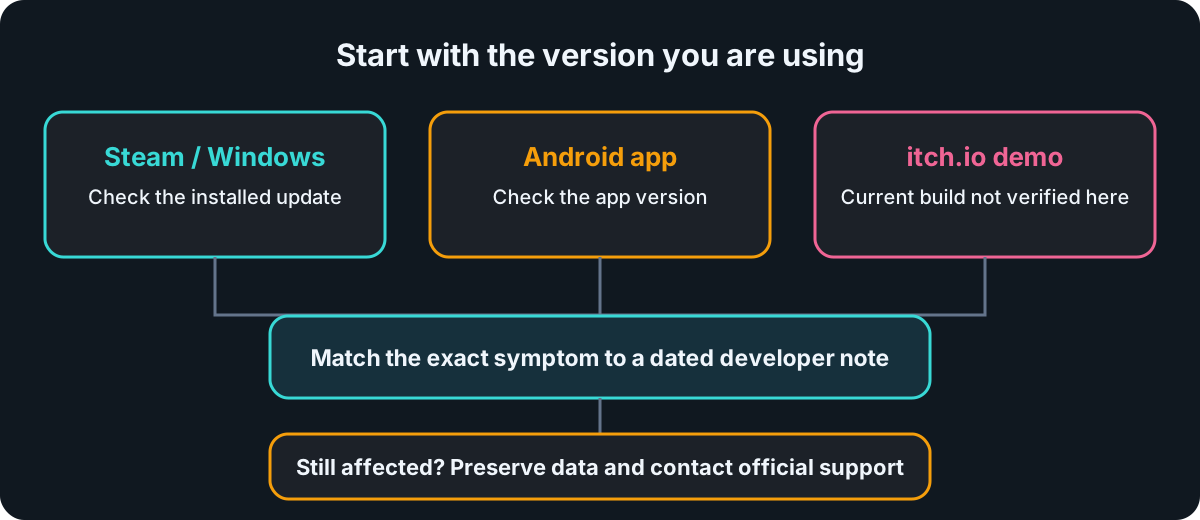
Write down the platform, installed version if visible, the account used and the precise symptom. If you changed accounts on the same device, mention that detail before taking further save-related action.
2. Match the symptom to the developer’s stated fix
The dates below distinguish a reported fix from a current diagnosis. They do not establish that a past run or profile can be recovered.
| Your symptom | Developer note | What it tells you |
|---|---|---|
| Extended Mode finds no opponent or fights a copy of your own team | September 19 hotfix 1.0.3 listed these cases as fixed. | Check your full-game version; a fresh occurrence still needs reporting. For the mode's entry steps, see the Extended Mode guide. |
| The connection drops during a full-game run | September 17 hotfix 1.0.2 says play can continue when internet access is lost. | Continuing play is documented. The later 1.2.0 note adds a specific Steam sign-in case below; it does not define all offline matchmaking or synchronization behavior. |
| Progress or run save appears under the wrong account after switching accounts on one device | 1.0.3 and September 21 patch 1.1.0 describe related account-switching save fixes. | Do not assume missing historical data was restored. Record both account context and version for support. |
| Android sign-in returns from a browser but does not complete | 1.0.2–1.1.0 list Android sign-in fixes; September 30 patch 1.2.0 also addresses sign-in finishing in the browser without returning to the game. | Check the installed app version and report the exact return or timeout behavior if it persists. |
| Controller cannot dismiss “Progress Not Saved” | Patch 1.1.0 lists this controller popup fix. | Check whether the installed full game includes that patch; do not treat every save warning as this bug. |
| Extended Mode resumes to a black screen with a very large trinket bag | 1.1.0 lists the black-screen fix; 1.2.0 adds a separate fix for long loading and stuttering at battle start with a large Extended Mode trinket bag. | Report a continuing case with the mode and symptom; do not infer a general loading fix. |
| A finished Steam run is lost when Steam fails to confirm sign-in | 1.2.0 reports a fix: play continues offline and the run syncs later. | This describes the specific Steam sign-in failure, not a recovery guarantee for a previously lost run. Report an ongoing case without clearing data. |
| The Windows game will not start without Vulkan or DirectX 12 | October 6 patch 1.3.0 reports a startup fix, including Windows under Parallels on a Mac. | Check for the updated full game before treating older startup reports as current. This is not a native macOS release or a performance guarantee. |
| Browser demo stays on “searching for opponent” | An itch.io player comment reports this, but the demo’s current build and live service state are unverified here. | Do not assume the full-game hotfix applies to the older browser demo. |
If your connection drops, the developer’s 1.0.2 note supports continuing the full game while offline. The 1.2.0 update adds that a finished Steam run affected by failed sign-in confirmation continues offline and synchronizes later. Neither statement promises all online matchmaking, ranked or cloud-save behavior without a connection, or specifies a sync deadline. If progress fails to appear after reconnecting, keep the affected account and version details for support rather than clearing data.
The newer cases are in berrymint’s 1.2.0 update (opens an external site) and 1.3.0 startup fix (opens an external site). Compare your exact symptom and installed version before assuming either applies.
These distinctions come from berrymint’s dated Steam updates (opens an external site). The browser report is a player comment on the developer’s itch.io page (opens an external site), not a confirmed fix or universal fault.
3. If it still happens, use official support
Keep the report specific: platform, installed version, account-switching context if relevant, what you expected, what happened, and when. Avoid emailing passwords, payment details or a save file unless official support specifically requests one through a trusted channel.
The public notes do not provide a verified recovery procedure for lost progress. Do not delete local data, clear browser storage or repeatedly change accounts on this site’s advice.
Steam’s Batomon Showdown technical support page (opens an external site) identifies the developer support address. The same address appears in the Google Play listing’s App support section: berrymintdev@gmail.com. This is the game developer’s contact, separate from this fan site’s corrections address.